Your AI keeps it current.
Your team just opens a link.
Handoff is the home for the dashboards, trackers, and status pages your AI builds. Without it they live in a chat transcript only you can see — or a screenshot that’s stale by Friday. This page is the whole product, honestly.
Free to start. No card. The people you invite never pay.
One page, handed off.
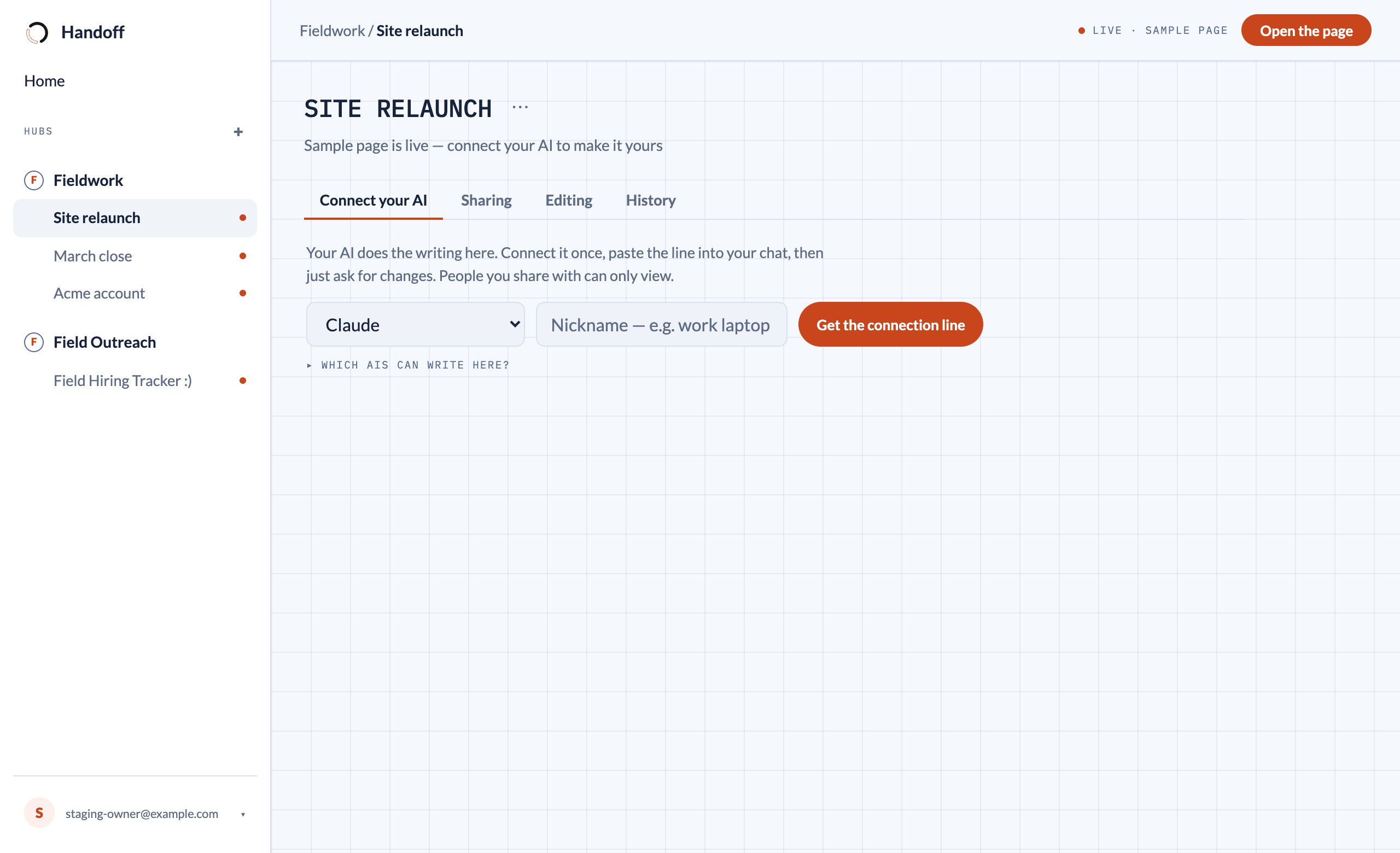
You paste one line into your AI chat. That line connects it to exactly one project — it can’t read your account, your email, or your other projects. Ask for changes in chat; they’re live on reload.
The page lives at its own private address, not in the transcript. It’s there tomorrow, and it’s there for people who were never in the chat.
Invite by email. No passwords, nothing to install, nothing to learn. Step 1: open the link. There is no step 2.
The hub you run it from.
One screen per project: get the connection line for your AI, choose who can see the page, flip direct editing, and browse every version it has ever had — with one-click restore. This is the real thing, not a mock.
See it before you sign in.
These are real hosted pages, served exactly the way yours will be. You’re the invited teammate here: you can look at everything and change nothing. One live example for each starter, every one built by an AI
What Handoff won’t do.
Sharing is read-only — your team sees the live page and can’t break it. Today nobody but you and your AI changes a page.
The page carries a snapshot of its data, written when your AI writes. It can’t reach into your accounts, and nothing on it phones anywhere.
The line you paste holds a one-time code that expires in about an hour. The real credential never touches the transcript or the page.
Every change is kept as a version, so a bad update is never a disaster — any past version comes back in two clicks.
Behind every page is one plain document your AI can read back out. Switch AIs tomorrow; the new one picks up where the old one left off.
Start from a working page.
Every starter has a real, live demo — built by an AI, served exactly the way your pages will be. Open one; you’re seeing what your team would see.
Who can change this page? You decide.
Every page starts AI-only: you ask, your AI updates it for everyone. Flip one switch and you can also change things right on the page — drag a card, tick a box, fix a number — and your AI sees what you changed next time you talk. Your team still just views.
Who can change this page?
You ask for changes in your chat, and your AI updates the page for everyone.
You can also change things right on the page — and your AI sees what you changed.
A preview of the real setting — every project starts on “Only my AI”.
Handoff, done for you. Some teams want the first hub built for them. You say what you need; we set up the project, brief your AI, and hand your team the link.
Email usGive it a home.
Hand it off.
Free to start. No card. The people you invite never pay.